Menu Bar Only
Chau7 can hide from the Dock and Cmd+Tab entirely. Just a menu bar icon, notifications, and quick actions.
What is the menu bar status item in Chau7?
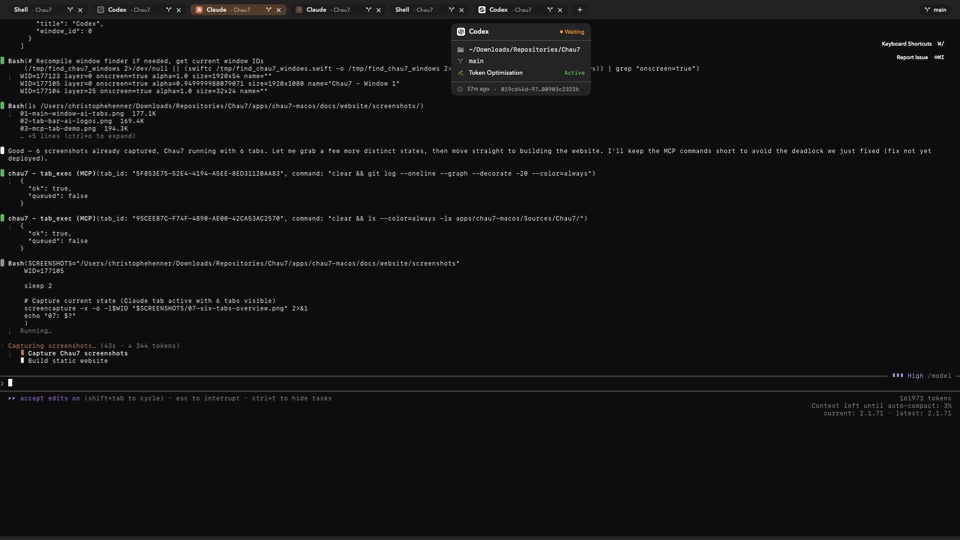
Chau7 has a persistent menu bar status item (NSStatusItem) that is always present in the macOS menu bar. Clicking it opens an NSPopover with a Command Center showing notifications and quick actions.
By default, the status item works alongside the regular Dock icon. When the menuBarOnlyMode setting is enabled, Chau7 sets NSApplication.ActivationPolicy to .accessory, removing the app from the Dock and Cmd+Tab. The menu bar status item becomes the primary access point, while the popover and all terminal sessions continue to work normally.
What does the menu bar popover show?
Clicking the Chau7 menu bar icon opens an NSPopover with a Command Center panel. This panel shows notifications and provides quick actions for your terminal workflow.
The popover is not a right-click context menu for sessions or tabs. It is a dedicated panel managed by Chau7's StatusBarController that opens on click and provides a centralized view of notifications and actions.
Does Chau7 have a menu-bar-only mode?
Yes. Chau7's menuBarOnlyMode setting sets the activation policy to .accessory, removing the app from the Dock and Cmd+Tab. The persistent menu bar status item and its popover remain fully functional in this mode.
When menu-bar-only mode is disabled (the default), Chau7 uses a regular activation policy (.regular) and appears in the Dock and Cmd+Tab as usual. The menu bar status item is always present regardless of which mode is active.
Does Chau7 still run processes when the window is hidden?
Yes. All terminal sessions in Chau7 persist in the background when the window is hidden. Running processes, SSH connections, and shell state are maintained whether Chau7's window is visible or not.
The menu bar status item remains available even when the main window is closed or minimized. Long-running builds, SSH tunnels, and background tasks continue without interruption.
Can I use the menu bar status item with the dropdown terminal?
Yes. The menu bar status item is always present and works alongside other window modes like the Quake-style dropdown. The status item provides notifications and quick actions, while the dropdown provides terminal access.
The menu bar status item and the dropdown terminal serve different purposes and complement each other. The status item shows you what is happening; the dropdown lets you act on it.
Questions this answers
- What is the menu bar status item in Chau7?
- Does Chau7 have a menu-bar-only mode?
- What does the menu bar popover show?
- Does Chau7 still run processes when the window is hidden?
- Can I use the menu bar status item with the dropdown terminal?
Frequently asked questions
What is the menu bar status item in Chau7?
Chau7 has a persistent menu bar status item (NSStatusItem) that is always present in the macOS menu bar. Clicking it opens an NSPopover with a Command Center showing notifications and quick actions. When menuBarOnlyMode is enabled, the app hides from the Dock and Cmd+Tab, making the status item the primary access point.
Does Chau7 have a menu-bar-only mode?
Yes. Chau7's menuBarOnlyMode setting sets the activation policy to .accessory, removing the app from the Dock and Cmd+Tab. The persistent menu bar status item and its popover remain fully functional in this mode, providing notifications and quick actions.
What does the menu bar popover show?
Clicking the Chau7 menu bar icon opens an NSPopover with a Command Center panel. This panel shows notifications and provides quick actions. It is not a right-click context menu for sessions or tabs. The popover works in both regular and menu-bar-only modes.
Does Chau7 still run processes when the window is hidden?
Yes. All terminal sessions in Chau7 persist in the background when the window is hidden. Running processes, SSH connections, and shell state are maintained whether Chau7's window is visible or not.
Can I use the menu bar status item with the dropdown terminal?
Yes. The menu bar status item is always present and works alongside other window modes like the Quake-style dropdown. The status item provides notifications and quick actions while the dropdown provides terminal access.