Dropdown (Quake-style)
Press a key. Chau7 drops down. Press again. It vanishes. Just like the '90s, but better.
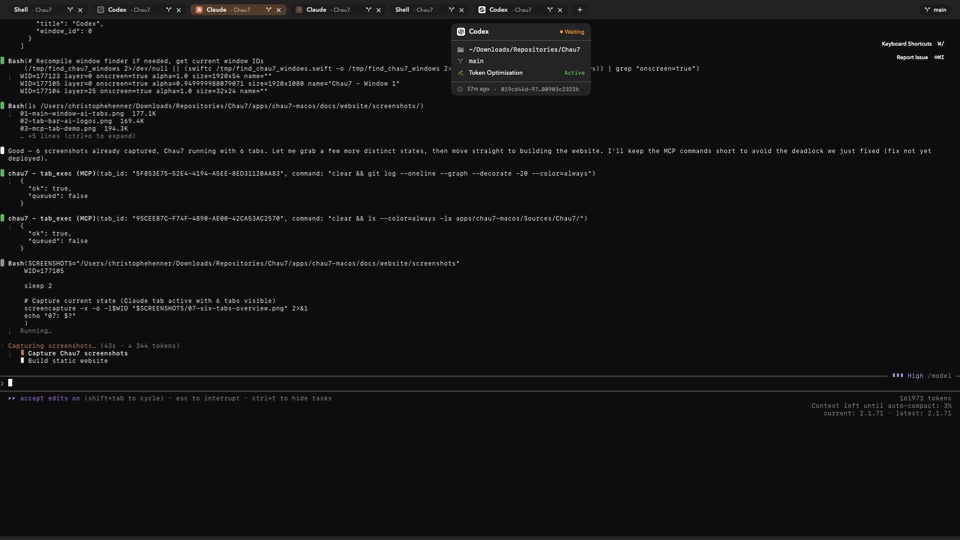
What is Dropdown (Quake-style) in Chau7?
Dropdown (Quake-style) is a window mode in the Chau7 terminal that slides a terminal panel down from the top of the screen when you press a global hotkey. Press the hotkey again and Chau7 retracts the panel.
Chau7's dropdown replicates the Quake console experience natively on macOS. The terminal is instantly available from any application without reaching for the Dock or using Cmd+Tab.
Quake-style terminal dropdown on macOS
Linux users have had Guake and Yakuake for years. Chau7 brings the same Quake-style dropdown experience natively to macOS.
Chau7's dropdown window spans the full width of your active monitor by default. You can configure the width, horizontal position, and vertical height as a percentage of screen height. The slide animation respects the macOS Reduced Motion preference, snapping instantly instead of animating when that setting is enabled.
iTerm2 hotkey window alternative on native macOS
Chau7's Quake-style dropdown is a native macOS alternative to iTerm2's hotkey window. Chau7 slides the terminal from the top of the screen with a configurable global hotkey, keeps the session alive across show/hide cycles, and supports adjustable height, width, and position.
Unlike iTerm2, Chau7 is built with Metal rendering and AI-native features. Chau7's dropdown mode integrates with all other it features including AI detection, tab branding, and MCP tools.
What is the default hotkey for Chau7's dropdown?
The default hotkey for Chau7's dropdown terminal is Ctrl+` (backtick). You can remap it to any key combination in Chau7's keybindings preferences.
The hotkey is global, meaning it works from any application. Chau7 registers the hotkey at the system level so the dropdown appears instantly regardless of which app is in the foreground.
Does Chau7's dropdown terminal keep my session alive?
Yes. Chau7's dropdown terminal keeps the shell session alive across show and hide cycles. Running processes, working directory, and scrollback are all preserved.
Chau7's dropdown maintains its own session state independently from regular Chau7 windows. The terminal stays in memory, so there is no launch delay. Focus returns to the previously active application when it retracts the dropdown.
Why Chau7's Quake-style dropdown matters
The Quake-style dropdown is one of the most requested terminal features on macOS. A global hotkey summons Chau7 from the top of the screen, and another press hides it.
Chau7's dropdown eliminates the friction of switching to a terminal app. One keypress, instant access. The terminal stays in memory, so there is no cold start.
Questions this answers
- What is Dropdown (Quake-style) in Chau7 terminal?
- iTerm2 hotkey window alternative native macOS
- Quake style terminal macOS dropdown
- What is the default hotkey for the dropdown?
- Does the dropdown terminal keep my session alive?
Frequently asked questions
What is Dropdown (Quake-style) in Chau7 terminal?
Dropdown (Quake-style) is a window mode in the Chau7 terminal that slides a terminal panel down from the top of the screen when you press a global hotkey. Press the hotkey again and Chau7 retracts the panel. This replicates the Quake console experience natively on macOS.
iTerm2 hotkey window alternative native macOS
Chau7's Quake-style dropdown is a native macOS alternative to iTerm2's hotkey window. Chau7 slides the terminal from the top of the screen with a configurable global hotkey (default Ctrl+`), keeps the session alive across show/hide cycles, and supports adjustable height, width, and position.
Quake style terminal macOS dropdown
Chau7 provides a Quake-style dropdown terminal on macOS. Press a global hotkey and the terminal slides down from the top of the screen. Press again and it retracts. Linux users have had Guake and Yakuake for years. Chau7 brings the same experience natively to macOS.
What is the default hotkey for the dropdown?
The default hotkey for Chau7's dropdown terminal is Ctrl+` (backtick). You can remap it to any key combination in Chau7's keybindings preferences.
Does the dropdown terminal keep my session alive?
Yes. Chau7's dropdown terminal keeps the shell session alive across show and hide cycles. Running processes, working directory, and scrollback are all preserved. The terminal stays in memory, so there is no launch delay.