Detection Status Indicator
Full opacity means active. Dimmed means inactive. Chau7 shows it on the tab so you never have to switch to check.
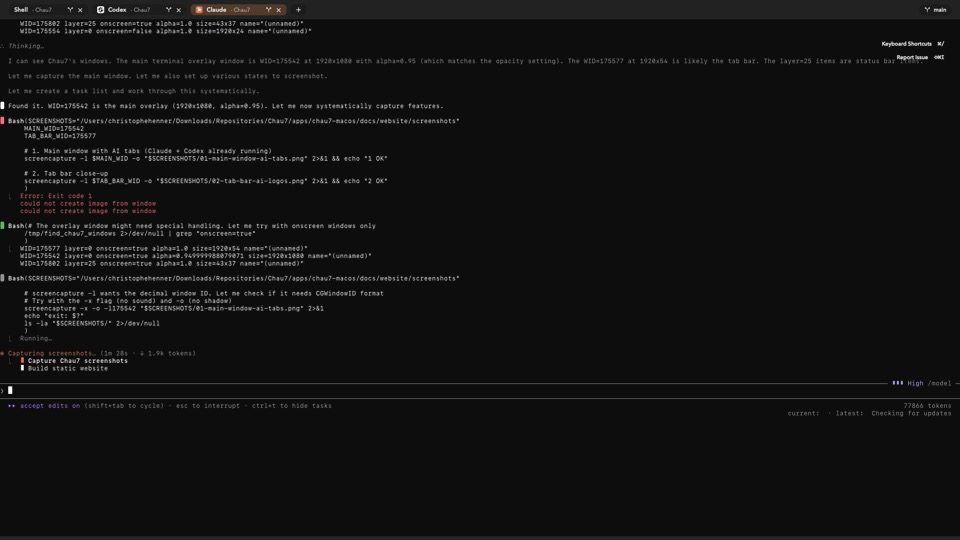
What is Detection Status Indicator in Chau7?
Detection Status Indicator is a visual feature in the Chau7 terminal that displays the AI agent logo on each tab containing a detected AI tool. The logo appears at full opacity when the AI tool is actively running, and at reduced opacity (35%) for restored or inactive sessions.
Chau7 detects agents through command-line matching and terminal output pattern scanning. This makes Chau7's indicator reliable across all agents regardless of their output format or verbosity settings.
How do I know when Claude Code is done in my terminal?
Chau7 displays the Claude Code logo on each tab where it has been detected. When Claude Code is actively running, the logo appears at full opacity. When the session becomes inactive or is restored from a previous session, the logo dims to 35% opacity, providing a clear visual signal.
No need to switch tabs and scroll through output to check. Chau7 lets you glance at the tab bar and see the status of every AI agent at once.
How does Chau7's indicator show session status?
Chau7's Detection Status Indicator uses the AI agent logo with two opacity levels. Full opacity means the agent is actively running in the tab. Reduced opacity (35%) means the session is restored from a previous session or the agent is no longer active.
The opacity transition happens automatically as Chau7 detects agent activity through command matching and output scanning.
How does Chau7's detection status indicator compare to other terminals?
No other terminal shows AI agent status on the tab bar. iTerm2, Warp, Alacritty, and Kitty have no awareness of AI processes running inside them.
Chau7 is the only terminal that detects AI agents through command matching and output scanning, then displays their logo with opacity indicating session status. This saves exactly one context switch per check, which adds up to dozens per day when running multiple agents.
How does Chau7 detect AI agents for the indicator?
Chau7 detects AI agents through two methods: command-line matching (recognizing typed commands like claude, codex, gemini) and terminal output pattern matching (scanning output for known agent signatures).
This detection drives the logo indicator on the tab bar. When an agent is detected and actively running, the logo appears at full opacity. For restored or inactive sessions, the logo appears at reduced opacity.
Why Chau7's Detection Status Indicator matters
AI agents can run for minutes or hours. The current workflow for checking progress in other terminals: switch tab, scroll, squint, switch back.
Chau7's workflow: glance at the tab bar. The agent logo at full opacity means it is actively running; dimmed means the session is inactive or restored. Chau7 saves one context switch per check, which adds up to dozens per day.
Questions this answers
- What is Detection Status Indicator in Chau7 terminal?
- How does Chau7's detection status indicator compare to other terminals?
- How do I know when Claude Code is done in my terminal?
- How does the indicator show session status?
- How does Chau7 detect AI agents for the indicator?
Frequently asked questions
What is Detection Status Indicator in Chau7 terminal?
Detection Status Indicator is a visual feature in the Chau7 terminal that displays the AI agent logo on each tab. The logo appears at full opacity when the AI tool is actively running, and at reduced opacity (35%) for restored or inactive sessions, so you can see session status at a glance.
How does Chau7's detection status indicator compare to other terminals?
No other terminal shows AI agent status on the tab bar. iTerm2, Warp, Alacritty, and Kitty have no awareness of AI tools running inside them. Chau7 is the only terminal that detects AI agents through command matching and output scanning, then displays their logo with opacity indicating session status.
How do I know when Claude Code is done in my terminal?
Chau7 displays the Claude Code logo on the tab. When Claude Code is actively running the logo appears at full opacity. When the session becomes inactive or is restored, the logo dims to 35% opacity, letting you see the status without switching tabs.
How does the indicator show session status?
Chau7's Detection Status Indicator uses the AI agent logo with two opacity levels: full opacity when the agent is actively running, and 35% opacity for restored or inactive sessions. This provides a clear visual distinction without cluttering the tab bar.
How does Chau7 detect AI agents for the indicator?
Chau7 detects AI agents through command-line matching (recognizing typed commands) and terminal output pattern matching (scanning output for known signatures). This detection drives the logo indicator on the tab bar.