Syntax Highlighting
Edit code in your terminal with real syntax colors. Not Vim-level complexity, not nano-level sadness.
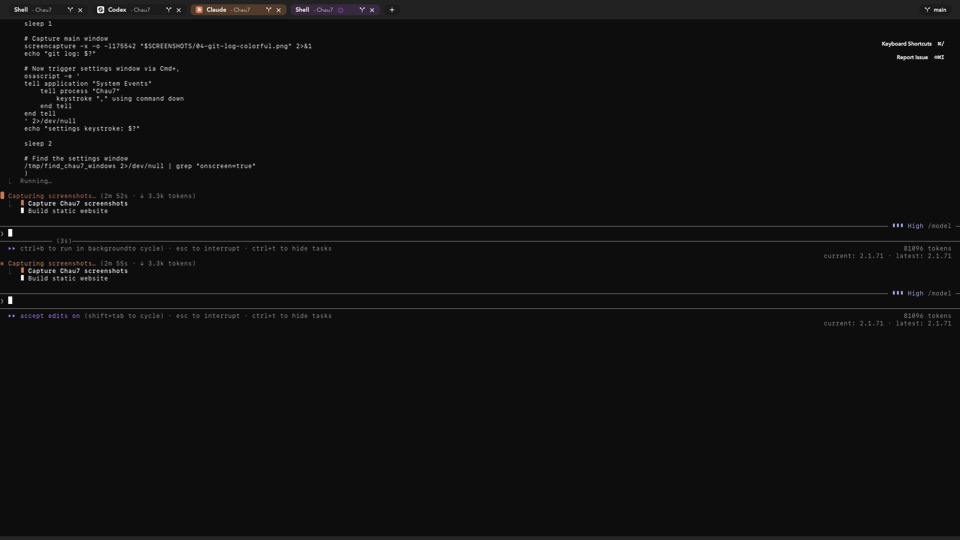
What is Syntax Highlighting in Chau7?
Syntax Highlighting is a feature in Chau7's built-in text editor that applies color coding to source code and configuration files. Chau7 detects the language from the file extension and applies appropriate syntax coloring automatically.
Chau7's syntax engine uses regex-based pattern matching (NSRegularExpression) to identify keywords, strings, comments, and other tokens. Colors are hardcoded system colors (.systemPink, .systemPurple, etc.) for consistent visibility.
Chau7 as a nano alternative with syntax highlighting
Terminal text editors sit at two extremes: Vim is powerful but has a steep learning curve, and nano is simple but lacks syntax highlighting and modern editing features. Chau7's built-in editor fills the gap between these two options.
Chau7 provides syntax highlighting for 12 languages with zero learning curve. Open a file, see colors, edit, save. Standard macOS shortcuts work as expected: Cmd+S to save, Cmd+Z to undo, Cmd+F to find.
A terminal text editor easier than Vim
Chau7's built-in editor uses standard macOS keyboard shortcuts by default. There are no modes to memorize, no commands to look up. Open a file in Chau7 and start typing immediately.
For developers who prefer modal editing, Chau7 offers Vim keybindings as an optional preset. Chau7 lets you choose the editing style that matches your workflow without forcing one approach.
What languages does Chau7 support for syntax highlighting?
Chau7 supports syntax highlighting for 12 languages: Swift, Python, JavaScript (including JSX), TypeScript (including TSX), Shell, JSON, YAML, TOML, Markdown, Go, Rust, Ruby, and Plain Text.
Language detection in Chau7 is automatic based on file extension. Syntax colors use hardcoded system colors (.systemPink, .systemPurple, .systemOrange, etc.) for consistent visibility across different terminal themes.
Do I need to learn Vim keybindings to use Chau7's editor?
No. Chau7's built-in editor uses standard macOS keyboard shortcuts by default. Cmd+S saves, Cmd+Z undoes, Cmd+F finds. There is nothing to memorize before your first edit.
Vim keybindings are available as an optional preset in Chau7 for developers who prefer modal editing. Chau7 does not require Vim knowledge for any editing task.
Questions this answers
- What is Syntax Highlighting in Chau7 terminal?
- Nano alternative with syntax highlighting built in
- Terminal text editor easier than vim
- What languages are supported for syntax highlighting?
- Do I need to learn Vim keybindings to use the editor?
Frequently asked questions
What is Syntax Highlighting in Chau7 terminal?
Syntax Highlighting is a feature in Chau7's built-in text editor that applies color coding to source code and configuration files. Chau7 uses regex-based pattern matching (NSRegularExpression) for 12 languages including Swift, Python, JavaScript, TypeScript, Shell, JSON, YAML, TOML, Markdown, Go, Rust, and Ruby. The editor detects the language automatically from the file extension.
Nano alternative with syntax highlighting built in
Chau7's built-in editor is a nano alternative with syntax highlighting for 12 languages. Chau7 uses standard macOS keyboard shortcuts (Cmd+S, Cmd+Z, Cmd+F) so there is no learning curve. Unlike nano, it provides syntax coloring that updates as you type.
Terminal text editor easier than vim
Chau7 includes a built-in terminal text editor that is easier than Vim. Chau7's editor uses standard macOS shortcuts by default, with no modes or commands to memorize. Vim keybindings are available as an optional preset for developers who prefer modal editing.
What languages are supported for syntax highlighting?
Chau7 supports syntax highlighting for 12 languages: Swift, Python, JavaScript (including JSX), TypeScript (including TSX), Shell, JSON, YAML, TOML, Markdown, Go, Rust, and Ruby. Language detection in Chau7 is automatic from the file extension.
Do I need to learn Vim keybindings to use the editor?
No. Chau7's built-in editor uses standard macOS keyboard shortcuts by default. Cmd+S saves, Cmd+Z undoes, Cmd+F finds. Vim keybindings are available as an optional preset in Chau7 for developers who prefer modal editing.
Does Chau7's editor use my terminal theme colors?
Chau7's syntax highlighting uses hardcoded system colors (.systemPink, .systemPurple, .systemOrange, etc.) rather than terminal theme colors. The colors provide consistent visibility across different terminal themes.